Apple Journal vs MoodKit (iOS 27): Diary or Mood Data?
· Updated · 5 min read
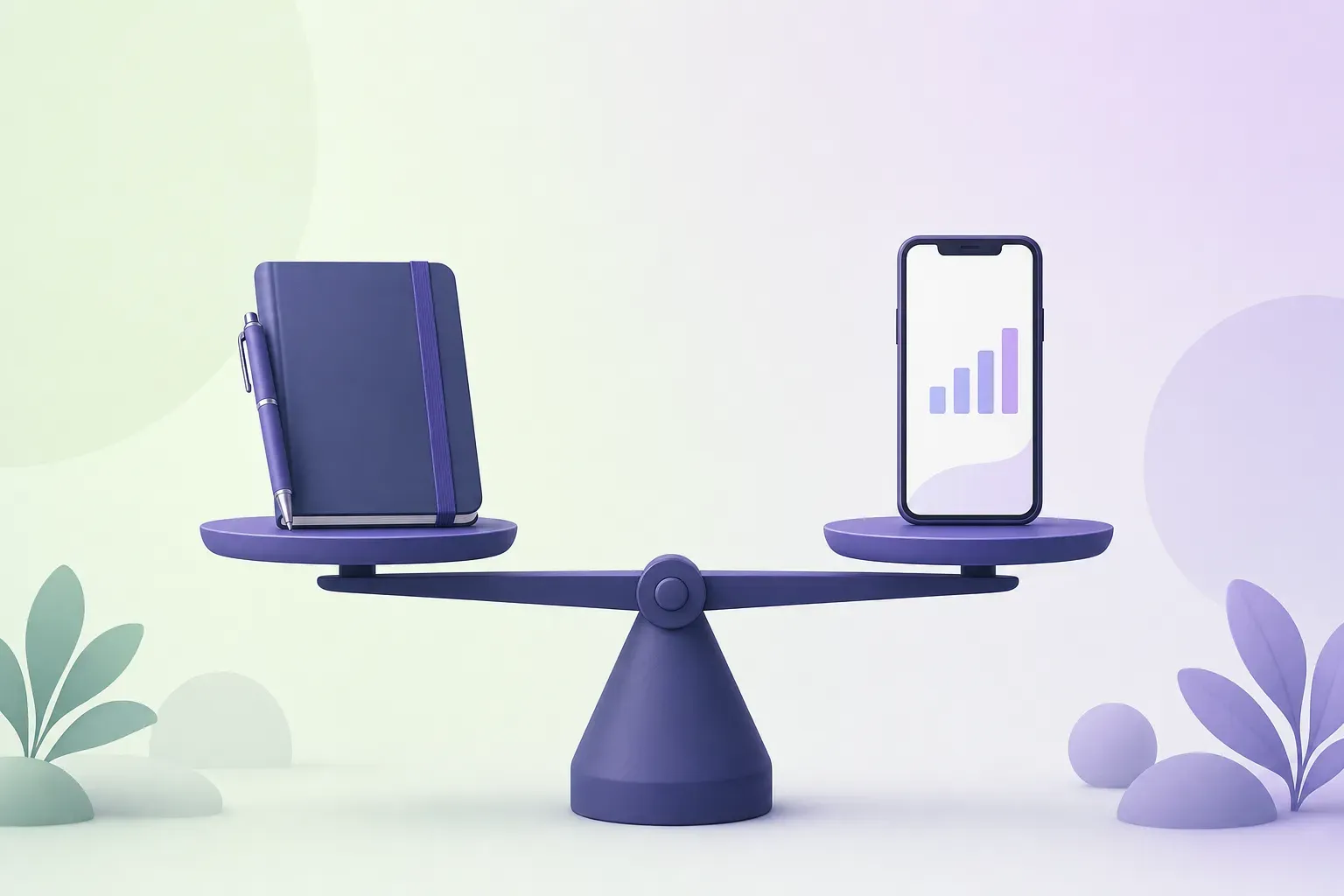
Apple’s Journal app gets its most useful update yet in iOS 27, which lands on September 14: streaks you can switch between daily and weekly, iCloud sync status, bigger attachment limits, timestamps on entries, prompts generated from what you’ve written, and edge-to-edge photos, per 9to5Mac’s rundown. It’s free, it’s private, and it now runs on iPhone, iPad, and Mac.
So here’s the fair question for anyone paying for a mood tracker: does a free Apple app that logs your State of Mind make the paid one redundant? Mostly no, but the reasons are specific, and there’s a version of this where you use both. (Disclosure: we build MoodKit, so read the verdict with that in mind. Facts checked September 2026; feature sets drift, so re-check before you decide.)
What Journal is for
Journal is a diary with excellent raw material. It suggests moments from your day (photos, workouts, places, music) and asks you to write about them. The iOS 27 prompts go a step further by reacting to what you’ve already written. Entries are end-to-end encrypted in iCloud, and there’s no account beyond your Apple ID.
Since iOS 18 it can also log a State of Mind entry inside a journal entry: drag a slider from very unpleasant to very pleasant, pick the words that fit, pick what’s having the biggest impact. That entry lands in the Health app, where its history lives.
For reflective writing, with photos, at zero cost, Journal is now the obvious default on iPhone. We wouldn’t argue with anyone who uses it for exactly that.
Where Journal stops
Journal collects, and that’s about where it ends.
- Analysis lives elsewhere, and it’s thin. The new Insights tab is about streaks and entry stats. Mood history is in Health, where State of Mind gets charts and simple side-by-side views with sleep and exercise. We’ve covered what State of Mind can and can’t tell you; the short version is that it shows you the shape of your moods, not their causes.
- No ranking of what drives you. Nothing in Journal or Health will tell you that time outdoors lifts your score by half a point and late nights cost you a full one. You can log a hundred entries and still be guessing.
- No experiments. “Does the morning walk actually help?” is a question you answer by reading back through entries and squinting.
- Writing is the unit. A journal entry is a paragraph. Some days you don’t have a paragraph in you, and on those days the log goes quiet, which are usually the days that mattered.
Journal vs MoodKit at a glance
| Apple Journal | MoodKit | |
|---|---|---|
| Price | Free | Logging free · insights $39.99/yr (1-week trial) · $79.99 lifetime |
| Unit of entry | Written entry with media | 15-second check-in: mood, tags, optional note |
| Photos and audio | Yes | No |
| Mood logging | State of Mind slider, into Health | 5 moods or custom moods with emoji, label, color |
| Analysis | Streaks in Journal; charts in Health | Impact Leaderboard, Weekly Rhythms, Hidden Patterns, monthly comparisons |
| Experiments | None | One-week try, skip, and next-day experiments with a verdict |
| Apple Health | Writes State of Mind | Reads sleep, exercise, steps as drivers; writes State of Mind (iOS 18) |
| Widgets | Home Screen prompt widget; Lock Screen widgets incl. State of Mind (iOS 18) | Home and Lock Screen widgets with one-tap logging (iOS 17) |
| Platforms | iPhone, iPad, Mac | iPhone, iPad |
| Privacy | On-device, iCloud encrypted | On-device; no account; optional private iCloud sync; Face ID lock |
| AI | On-device prompts and suggestions | None; on-device statistics only |
Facts checked September 2026.
Use both: write in Journal, measure in MoodKit
The two apps aren’t really competing for the same minute of your day. Journal wants the story; MoodKit wants the number and the tags. The pairing that works:
- Check in with MoodKit through the day, fifteen seconds at a time. Turn on Apple Health so sleep, exercise, and steps rank alongside your tags, and so each check-in is saved to Health as a State of Mind entry (iOS 18 and later). Your Health mood chart stays complete without double logging.
- Write in Journal when there’s something to write, with the photos.
- Once a month, read MoodKit’s leaderboard and Weekly Rhythms next to Journal’s entries. The numbers tell you what moved; the entries usually tell you why.
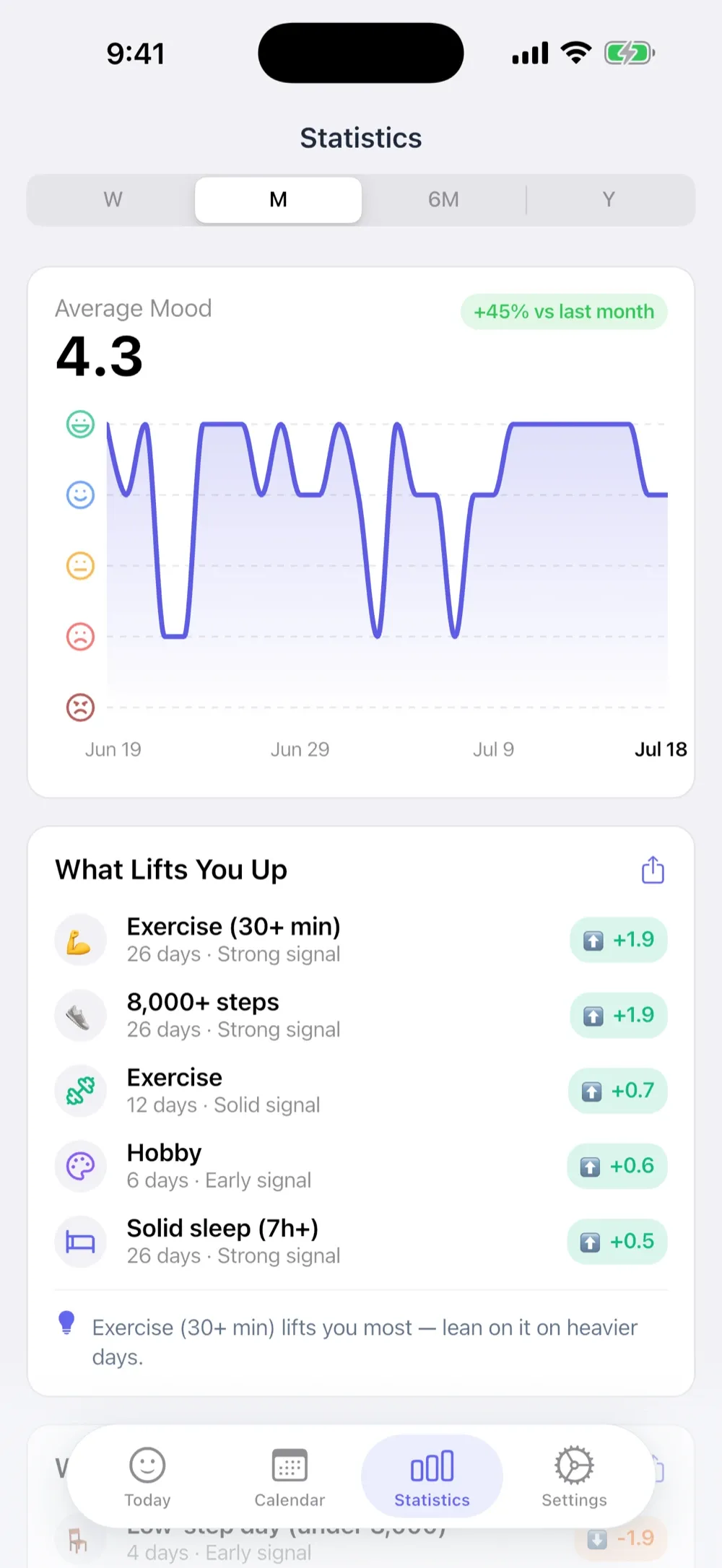
The Apple Health setup guide covers the toggle, and it’s one toggle.
Which to open first
- You want to remember your life, with pictures: Journal, and it’s free. Stop reading.
- You want to know what’s driving your mood: MoodKit, because that question needs numbers and Journal doesn’t produce them.
- You want both: the pairing above. Journal for the paragraph days, MoodKit for every day.
MoodKit’s honest shortfalls next to Journal: no photos or audio, no Mac app, no dark mode, insight cards behind a Premium tier (logging is free), and it’s a young app next to something Apple ships to every iPhone. Journal’s shortfall next to MoodKit is the one it’s least likely to fix: it will always ask how you feel and never tell you why.
Frequently asked questions
Is Apple's Journal app free?
Yes. Journal ships with iOS and costs nothing, and it syncs across iPhone, iPad, and Mac. There's no premium tier.
Can Apple Journal track your mood?
It can log a State of Mind entry, the same slider-and-labels mood log that lives in the Health app, and attach it to a journal entry. The history and charts live in Health, not in Journal.
Does Journal tell you what affects your mood?
Not in the way a dedicated tracker does. Journal's Insights tab covers streaks and entry stats, and Health shows State of Mind alongside sleep and exercise. Neither ranks your activities by their measured effect or runs experiments; that's the gap MoodKit fills.
Can I use Journal and MoodKit together?
Yes, and it's a good pairing. Write the story in Journal, log the numbers in MoodKit, and let MoodKit save each check-in to Apple Health as a State of Mind entry (iOS 18 and later) so the Health chart stays complete.
Keep reading

Apple's State of Mind vs MoodKit (2026): Built-In or Dedicated?
iOS logs moods for free with State of Mind. So when is a dedicated tracker worth paying for? A sourced comparison — and why the two work best together.
· 5 min read
Mood Tracking with Apple Health: State of Mind, Sleep & Steps
How Apple's State of Mind logging works, what it can't tell you, and how apps like MoodKit turn Health data — sleep, exercise, steps — into ranked mood factors.
· 5 min read
Best Mood Tracker Apps for iPhone & iPad in 2026 (7 Picks)
The mood trackers that actually use the iPhone well — widgets, Lock Screen logging, Apple Health, State of Mind — ranked by how deep the iOS integration goes.
· 4 min read